How to Build an Agent Harness?
Agent harness is fundamentally an infinite loop of api requests to LLM provider.
Initially, we made an api request, and got a response from ai model.
Then came function calling. It allowed models to execute function, receive function result, and send a response.
Agent harness added a loop on top of it.
If you don't understand function calling, read this section first.
Start by defining a boolean variable 'continue_loop'. You can then modify its value based on different conditions to control the loop.
continue_loop = Truewhile True:
response = client.responses.create(
model="gpt-5.6",
input=conversation_history,
)
if not continue_loop:
breakThe loop continues until the condition (continue_loop) is false.
How to Determine When to Break the Loop?
If the AI response contains function call event, continue. If not, break the loop.
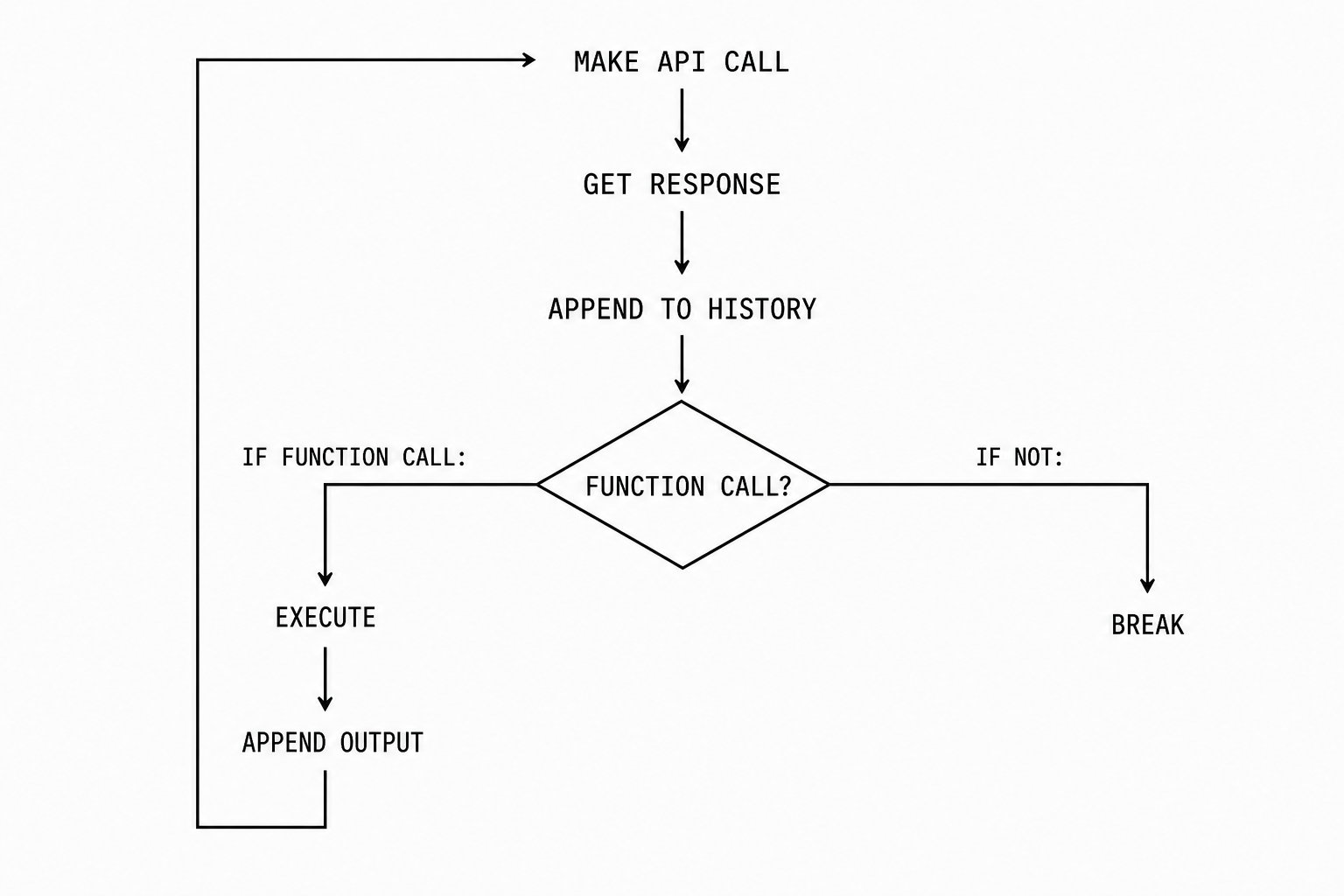
There are factors that can break the loop other than response completion: guardrails, errors, context limit, billing etc.
Components of Agent Harness:
- Harness Initializer
- Interaction Loop
- Autonomous Loop
- Tools
- State Management
- Parsing
- Context Management
- Guardrails
- Error Handling
Other components (we will not talk about these):
- Memory
- Subagent
- Verification Layer
- MCP
- Skills
1. Harness Initializer
It parses the cli command and initializes conversation history, model, allowed tools, output formats, permission modes, effort/thinking level, interface etc.
2. Interaction Loop
Harness contains two major loops:
- Outer: Interaction loop
- Inner: Autonomous Loop
Interaction loop asks for input, checks token usage, and handles user message queue.
It verifies if queue has items before asking for new input.
User message is constructed in structured format and added to the conversation history.
{
    "role": "user",
    "content": [
        {
            "type": "input_text",
            "text": "Say hello world",
        }
    ],
}
If with in the context limit, it runs agent loop.
In case it hits the limit, the user message is added in the queue. Then a compaction message is constructed, added to the conversation history, and runs agent loop.
{
    "role": "user",
    "content": [
        {
            "type": "input_text",
            "text": "Create a concise continuation summary of the conversation",
        }
    ],
}
Apart from function call, compaction run also sets the condition to continue the agent loop.
3. Autonomous Loop
This inner loop communicates with the LLM provider, and runs autonomously until it needs feedback from the user. It:
- Checks context limit and handles compaction.
- Makes api call to the LLM provider
- Streams responses
- Parses responses
- Asks approval for function call
- Executes functions
- Adds responses and function call output to conversation history
- Determines whether to continue or break the loop.
4. Tools
Tools allow models perform action. For an agent harness, core tools can be:
- Read
- Write
- Edit
- Bash
To make it even better:
- File search (A fast file finder using fff or ripgrep)
- To-do (Good for keeping models in check for long running, and multi-step task)
- Web search (Included in the models)
5. State Management
OpenAI responses api, Anthropic messages api are all stateless.
It means every api request made is a new request with no stored data of existing api calls. You need to include the full conversation history in every request.
Store the events like user messages, assistant responses, function call request, function call output in memory and in a jsonl file for persistent data.
Stored events in jsonl will allow you to later resume a conversation, fork a session, and branch it out from a specific message.
6. Parsing
You need to parse the server sent events (SSE) or the response. Parsing allows you to simplify complex structures. It also ensures you only get what you have defined.
Harnesses can be provider agnostic. Construct it in a general structure if you support multiple ai providers.
7. Context Management
Model performance degrades as the context window fills up. You can set the usable context limit to 50–80% of the context window model supports. Once it goes beyond that trigger compaction.
Compaction is creating a brief summary of the conversation.
You can use a simple summary prompt, make api request. Then clear the conversation history and insert the summary.
OpenAI allows server side compaction. You set the usable context limit. Once the limit hits, it summarizes the conversation and returns the summary. Parse the summary event, clear history and insert it.
8. Guardrails
Agent harnesses with tools can access unauthorized files, can run destructive commands. A set of guardrails helps keep things safe. Few things you can do to ensure safety:
- Limiting access to current working directory
- Ask approvals before executing tools that's not on allowed list
- Trigger error on a set of keywords in user message
- Limit web search to specified websites
- Run the agent in a Sandbox
Models can run forever, limiting it to a certain steps can help save token wastage.
9. Error Handling
Function calls can fail. The arguments passed might not be a valid value, or structured properly.
You can build the function call output and pass the error in the result to inform the model.
{
    "type": "function_call_output",
    "call_id": "rand_123",
    "output": '{ "error": "error msg" }',
}
This helps model learn and retry with a different value.
Implement retry with exponential backoff for network failures or api failures.
Skip next section if you understand function calling
Function Calling
Function calling (aka tool call) extends model capability. It gives model access to external functions and data.
1. Define a function.
e.g read_file that takes 'path' as an argument and returns the contents of the file.
def read_file(path: str) -> str: ...2. Inform AI using function definition.
Function definition contains function name, description, and the arguments you want AI to send to execute the function.
Simplified example:
def_read_file = {
    "name": "read_file",
    "description": "reads the content of the file",
    "parameters": {
        "properties": {
            "path": {
                "type": "string",
                "description": "path to read",
            },
        }
    },
}
Function definition is then passed in the body when making api request.
{
    "model": "gpt-5.6-sol",
    "input": "prompt here",
    "tools": [def_read_file],
    "stream": True,
}
3. Models don't execute function on its own.
It sends a response of type 'function call' and contains:
- Name
- Id
- Arguments
{
    "type": "function_call",
    "call_id": "rand_123",
    "name": "read_file",
    "path": "/src/hello_world.rs",
}
4. Parse and execute.
We parse the function call and execute the matching function with the ai provided argument.
path = event.get("path")
contents = read_file("/src/hello_world.rs")- Add output to conversation history and make new api request. Output include:
- Event type
- Call id (from function_call event)
- Output (plain string or json)
{
    "type": "function_call_output",
    "call_id": "rand_123",
    "output": '{ "contents": "contents here" }',
}
Harness Interfaces
Agent harness contains multiple ways to interact with it.
Interactive:
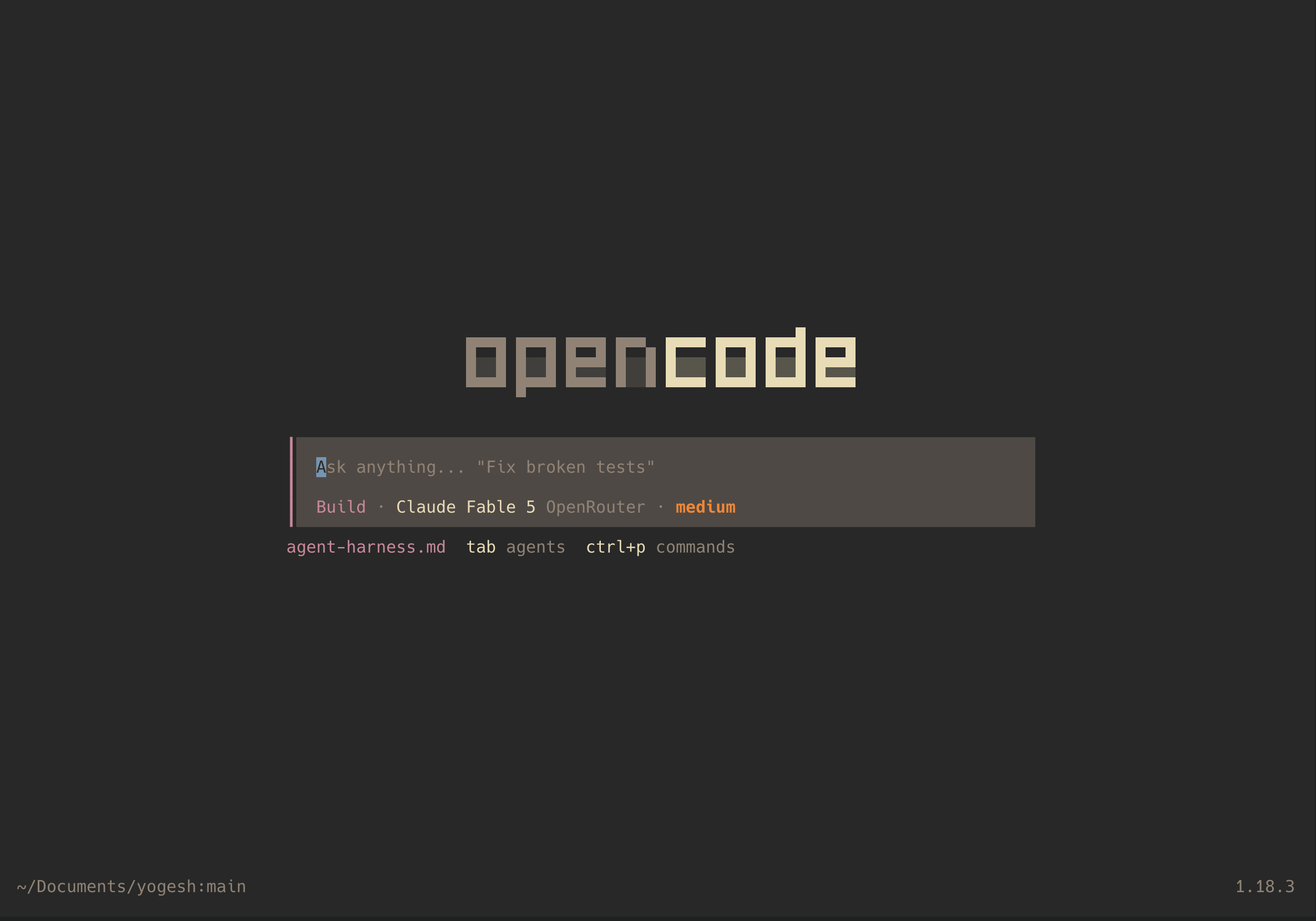
- Terminal User Interface (TUI)
Programmatic:
- One shot exec: Executes a single prompt and exits. e.g claude -p 'say hello'
- Json stream: Runs a persistent session and streams json events.
- Standalone server. Spins up a server that you can interact over JSON-RPC. e.g codex exec-server
Build Your Own Agent Harness
Start small. Don't try to build claude code. Build a small set of components, tools, and simplified functionalities. You can see the agent harness I built for reference.